
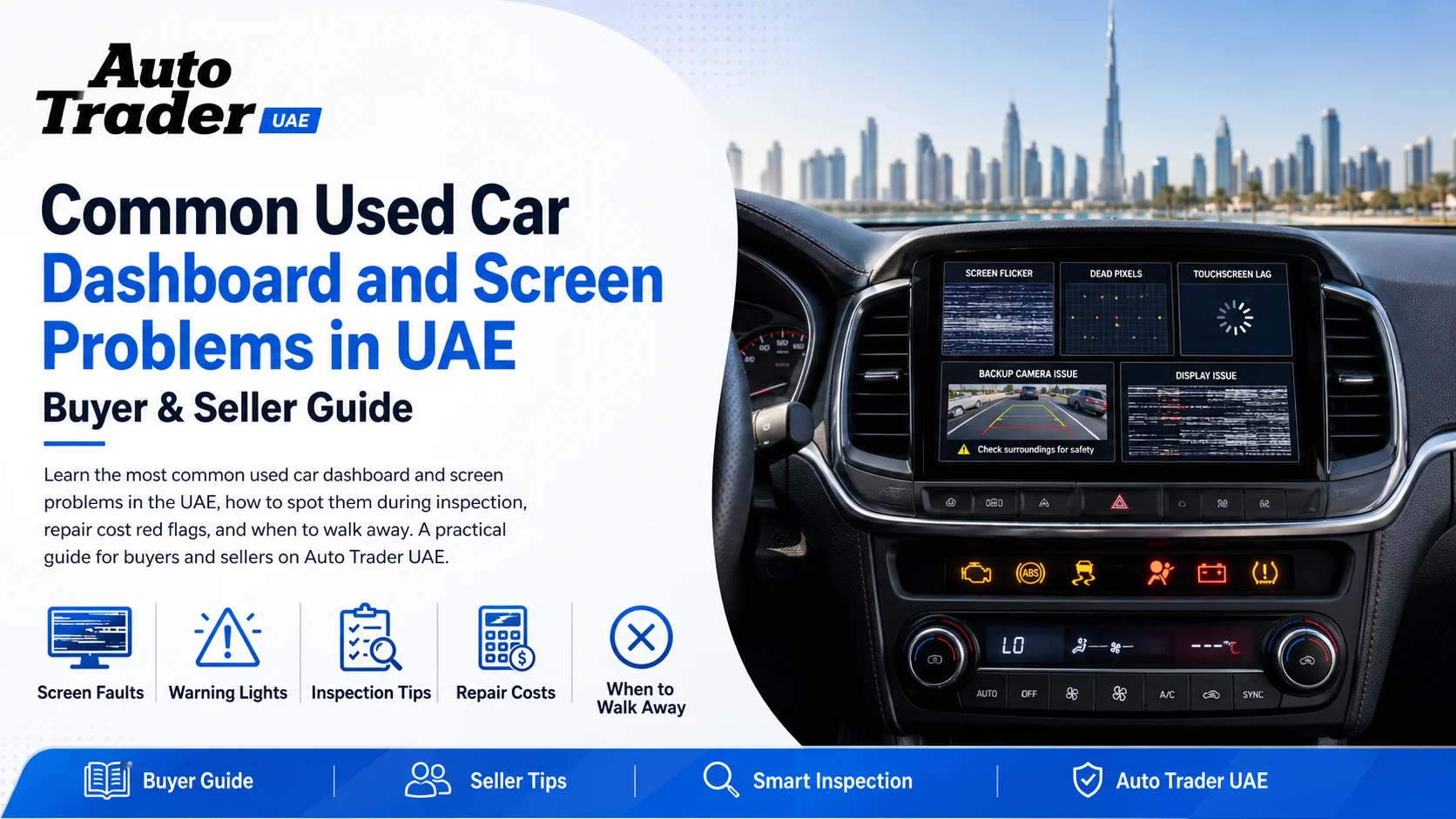
Common Used Car Dashboard and Screen Problems in UAE: Buyer & Seller Guide
Buying a used car in the UAE means paying extra attention to the dashboard, instrument cluster, and infotainment screen. Between intense heat, dust, high-tech electronics, and busy city driving, these systems are under constant stress – and they’re not cheap to fix. This guide from Auto Trader UAE explains the most common used car dashboard and screen problems in the UAE, how to spot them, what they might cost to repair, and how buyers and sellers can protect themselves.
Why Dashboard and Screen Problems Are So Common in the UAE
- Extreme heat: Long days in 40–50°C cabin temperatures damage plastics, screens, solder joints, and wiring.
- Dust and sand: Fine particles work their way into buttons, sliders, vents, and touchscreens.
- High-tech cabins: Modern cars rely heavily on digital clusters and large infotainment screens, which means more that can go wrong.
- Stop–start urban use: Short trips, heavy A/C use, and frequent key cycles stress electrical systems.
- Aftermarket modifications: Non‑OEM head units, added screens, and poor wiring can trigger faults and drain batteries.
Typical Dashboard Warning Light Problems
1. Persistent Check Engine Light
What you’ll see: Amber engine symbol that stays on or comes back shortly after being reset.
Common UAE‑market causes:
- Failed oxygen (O2) sensors or catalytic converter issues from long idling and heat
- Evap system leaks from dried or cracked hoses
- Aftermarket exhaust or intake mods
Buyer tips:
- Use an OBD scanner or ask a workshop to read stored fault codes.
- A recently reset system (no codes, but light returns after a drive) is a red flag.
- Budget for potential repairs before committing.
2. Airbag / SRS Warning Light
What you’ll see: Airbag symbol or SRS light that stays on after start-up.
Why it matters: It may indicate deactivated airbags, faulty sensors, or previous accident repairs.
Buyer tips:
- Never ignore an airbag light – it’s a safety system, not just an annoyance.
- Ask for a pre‑purchase inspection; technicians can see if codes were recently cleared.
- If the car has been in an accident, check that airbags were properly replaced, not bypassed.
3. ABS / Brake Warning Lights
What you’ll see: ABS light, red brake warning, or traction control light.
Common causes: Failed wheel sensors, damaged tone rings, low brake fluid, or wiring issues.
Buyer tips:
- On the test drive, perform a gentle hard stop to feel whether ABS activates smoothly.
- Ask for brake service history – pads, discs, and fluid changes.
4. TPMS / Tyre Pressure Warning
What you’ll see: Tyre symbol with exclamation mark.
Common UAE causes:
- Faulty TPMS sensors (battery life usually 5–10 years)
- Incorrect tyre size or rims without sensors
- Under‑inflated tyres due to heat expansion/pressure mistakes
Buyer tips: Check tyre condition, age codes, and whether the sensors have ever been replaced.
Common Infotainment and Screen Issues in Used Cars
1. Faded, Delaminated, or Cracked Screens
Symptoms: Screen looks milky, has bubbles, cracks, or dark corners.
Likely causes: Prolonged sun exposure, low‑quality screen protectors, or cabin heat cycles.
What it means for buyers:
- Cosmetic damage can reduce resale value.
- Severe delamination may affect touch response and visibility of navigation or camera views.
- OEM replacement screens can be costly, especially in premium brands.
2. Unresponsive or Laggy Touchscreen
Symptoms: Slow response, ghost touches, or total freeze of the system.
Causes: Software glitches, failing internal memory, heat damage, or aftermarket software.
Buyer checklist:
- Test all menus: navigation, audio, Bluetooth, vehicle settings, camera views.
- Connect your phone via Bluetooth, Apple CarPlay, or Android Auto and test a call.
- Ask if the software/firmware has ever been updated at the dealer.
3. Random Reboots or Blank Screen
Symptoms: Screen restarts while driving, goes black, or flickers.
Potential issues:
- Weak 12V battery or alternator issues
- Loose wiring connections behind the head unit
- Faulty control module or corrupt software
Buyer advice: If the unit cuts out during the test drive, assume you may need diagnostics and possibly a replacement head unit.
4. Camera and Parking Sensor Failures
Symptoms: No image from reverse camera, distorted lines, parking sensors permanently on or silent.
Common UAE‑specific causes:
- Dust and road grime covering sensors and camera lens
- Water intrusion from pressure washing
- Minor rear impacts damaging the camera or wiring
Buyer tips:
- Test all cameras (front, rear, 360° if fitted) and parking sensors in a safe open space.
- Check for signs of rear bumper repair or camera replacement.
Instrument Cluster and Gauge Problems
1. Dead or Flickering Gauges
Symptoms: Speedometer, fuel gauge, or temperature gauge not working or reading erratically.
Possible causes: Failing stepper motors inside the cluster, loose connectors, or sensor faults.
Risk: Inaccurate fuel or temperature readings can lead to breakdowns or overheating.
2. Partial Backlight or Dead Pixels
Symptoms: Dark patches on digital displays, missing characters, or uneven lighting at night.
Buyer tips:
- View the cluster in bright daylight and again with headlights on.
- Check that you can clearly read odometer, warnings, and trip info.
3. Suspected Odometer Tampering
Red flags:
- Very low mileage but heavy wear on steering wheel, pedals, and seats
- Service records that don’t match odometer readings
- Inconsistent mileage in RTA test reports or service stamps
Protection tips:
- Ask for full service history and compare mileage line by line.
- Use trusted workshops and verify records where possible.
- Be cautious of cars with new clusters but no documentation.
Buttons, Switches, and Climate Control Issues
1. Sticky or Faded Buttons
Symptoms: Rubberised buttons melting or becoming sticky; worn-off icons on climate and radio controls.
Causes: Heat, sun, and cleaning products reacting with soft‑touch coatings.
Impact: Mostly cosmetic but affects perceived quality and resale value.
2. Non‑Working Climate Control or Fan
Symptoms: A/C not responding to temperature settings, fan stuck on one speed, or display not changing.
UAE impact: With the climate here, a faulty A/C control system is a major issue.
Buyer checklist:
- Test hot and cold settings, all fan speeds, and different air distribution modes.
- Check rear A/C controls and vents if fitted.
3. Steering Wheel Controls Not Responding
Symptoms: Volume, cruise control, or phone buttons don’t work or work intermittently.
Likely cause: Failing clock spring (spiral cable) inside the steering column.
Buyer note: A failed clock spring can also affect the driver’s airbag – it’s more than a convenience issue.
Heat, Sun, and Dust: UAE-Specific Dashboard Damage
1. Cracked or Warped Dashboard
Symptoms: Visible cracks, lifted sections near the windscreen, or rattling noises over bumps.
Causes: UV exposure, parked outdoors without a shade, or poor-quality dashboard materials.
Buyer tips:
- Run your hand along the base of the windscreen and around the air vents.
- Look for DIY repairs or glued covers that may hide major cracks.
2. Peeling Dashboard Coatings and Trims
Symptoms: Peeling soft‑touch coatings, bubbling trim, or sticky surfaces.
Impact: Mostly cosmetic, but can reduce the car’s appeal and bargaining power.
3. Dust in Vents and Behind Screens
Symptoms: Visible dust behind screens, noisy fans, gritty feel on controls.
Why it matters: Dust can shorten the life of blowers, buttons, and moving parts; it also suggests the car may not have been carefully maintained.
How to Inspect a Used Car’s Dashboard and Screens in the UAE
Before You Go: Pre‑Screen the Listing
- Zoom into listing photos on Auto Trader UAE to check for cracks, faded screens, and warning lights.
- Ask the seller directly: “Any issues with the dashboard, screen, or warning lights?” and keep their answer in your chat or messages.
On-Site, Engine Off
- Check the dashboard surface for cracks, warping, or aftermarket covers hiding damage.
- Examine buttons, knobs, and switches for stickiness or heavy wear.
- Inspect the infotainment screen for scratches, bubbles, or dark spots.
On-Site, Engine On
- Watch the self-check: All main warning lights should come on briefly, then go off.
- Make sure no persistent red or amber warnings remain (engine, airbag, ABS, oil, coolant, battery).
- Test all stalks: indicators, wipers (including wash), high beam, and rear wiper.
- Confirm that odometer, trip, and multi-information display are clearly readable.
Test Drive Checks
- During driving, watch for new warning lights appearing when you accelerate, brake, or turn.
- Listen for rattles from behind the dashboard over rough surfaces.
- Check that the screen doesn’t reboot or freeze under vibration or heat.
What Repairs Might Cost – And When to Walk Away
Costs vary widely by brand and model, but some general guidance helps you decide whether the car is still a good deal.
Less Serious Issues (Often Cosmetic or Minor)
- Faded buttons or peeling trim: Usually cosmetic; can be used to negotiate price.
- Light surface cracks in dash: Consider a dash cover or professional repair if the price reflects the damage.
- Minor pixel issues that don’t affect key info: Acceptable for many buyers if the car is otherwise strong.
Moderate to Serious Issues
- Persistent airbag/SRS, ABS, or engine warning lights: Always investigate with diagnostics before buying.
- Unresponsive infotainment unit or dead reverse camera: Treat as a significant repair; budget accordingly.
- Severe cluster failures, including missing odometer: Avoid unless you fully trust the seller and have complete documentation.
When to Consider Walking Away
- Multiple major warning lights plus visible accident repair but no clear paperwork.
- Evidence of dashboard removal or tampering without explanation.
- A seller who refuses a pre‑purchase inspection or becomes defensive about electronics questions.
Smart Negotiation Tips for Buyers
- Document everything: Take photos of warning lights and screen issues during your visit.
- Get a quote: Ask a workshop for an estimated repair range, then use this in your negotiation.
- Separate must-fix from nice-to-fix: Safety and legal issues (airbags, ABS, main cluster) should be fixed or reflected strongly in the price.
- Consider extended warranties: Some dealers offer warranties that cover infotainment and electronics – valuable in the UAE.
Once you know what you’re looking for, you can search confidently on Auto Trader UAE and focus on cars with honest descriptions and clear photos.
Honest Listing Tips for Sellers in the UAE
- Be transparent: Mention any minor dashboard or screen issues in your listing; buyers appreciate honesty.
- Fix easy wins: Clean sticky buttons, replace cheap trim pieces, and update software where possible.
- Show everything in photos: Include clear shots of the instrument cluster (with the car running), infotainment screen, and climate controls.
- Keep invoices: Upload or show receipts for any recent electronic or A/C work – this builds trust and supports your asking price.
Protecting Your Dashboard and Screens After Purchase
For Any Car in the UAE
- Use a windscreen sunshade when parking outdoors.
- Park in covered or shaded areas whenever possible.
- Clean screens with proper microfiber cloths and electronics-safe cleaners.
- Avoid aggressive chemical cleaners on soft‑touch plastics.
- Have the battery and charging system checked annually; weak power supply can create random electronic faults.
Software and Updates
- Ask the dealer to update your infotainment system and navigation maps where available.
- Check for recalls relating to dashboards, clusters, or infotainment modules.
Next Steps: Find the Right Used Car on Auto Trader UAE
Understanding the most common used car dashboard and screen problems in the UAE helps you avoid expensive surprises and negotiate with confidence. Whether you’re shopping for a daily commuter, a family SUV, or a premium model with a large digital cockpit, always give the interior electronics a full, methodical check.
Browse a wide selection of used cars in UAE on Auto Trader UAE, compare features and photos, and shortlist cars with clean, well-presented dashboards. If you’re in the market for a second-hand vehicle in the city, explore our latest used cars in Dubai and arrange a viewing with a trusted seller. A careful inspection today can save you thousands of dirhams in dashboard and screen repairs tomorrow.
Browse used cars in UAE on Auto Trader UAE to compare live listings, prices, and current market activity more clearly.
Related Links
Buyer Takeaway
When buying a used car in the UAE, focus on vehicle condition, service history, inspection quality, paperwork, and total running costs rather than price alone. Compare options carefully and choose the option that best matches your budget and real needs.
Seller Takeaway
If you are selling a used car in the UAE, present the service history clearly, price the vehicle realistically, and highlight condition, specification, and ownership strengths honestly. A well-prepared listing with accurate details usually attracts more serious buyers.
Conclusion
A careful used car purchase in the UAE starts with research, proper inspection, and clear paperwork before making the final decision.